
Are you looking for price list menu templates and design ideas that make you stand out from the competition? You’re at the right place. Creating an effective price list menu design can make or break your restaurant’s success.
Therefore, in this comprehensive guide, we’ll explore proven menu design strategies that not only look appealing but also boost your revenue.
What is the Meaning of Price List Menu Template?
A price list menu template is a ready-made design that shows the names of items or services along with their prices in a clear and organized way. It helps restaurants, cafes, salons, or any business quickly create a menu without starting from scratch.
These templates usually include:
- Item names (like dishes, drinks, or services)
- Prices are listed next to each item
- Sections for different categories (like Starters, Main Course, Beverages)
- A clean layout that’s easy for customers to read
Price list menu templates save time, keep your branding consistent, and make it easier for customers to understand what’s available and how much it costs. You can customize them with your own items, colors, and style to match your business.
What are the Best Price List Menu Ideas and Examples?
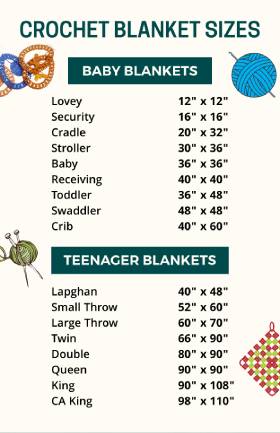
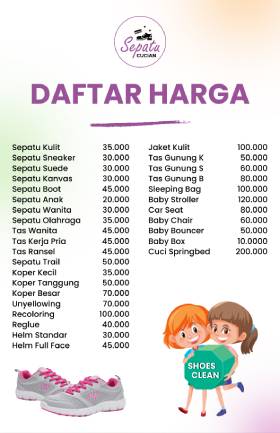
Struggling to design a menu for your salon or spa business? Here are some free menu templates that make your service-based business shine and increase profitability. Consider these price list menu examples as a design reference, and create your own for your business.

(Tap to Edit)
(Tap to Edit)
(Tap to Edit)
(Tap to Edit)


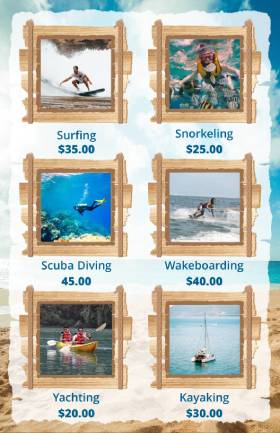
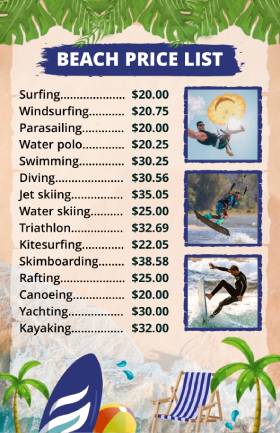
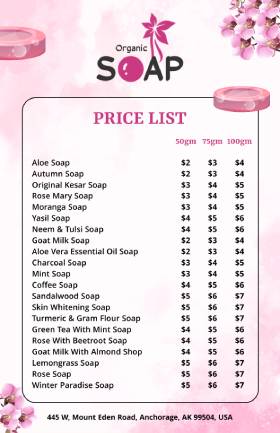
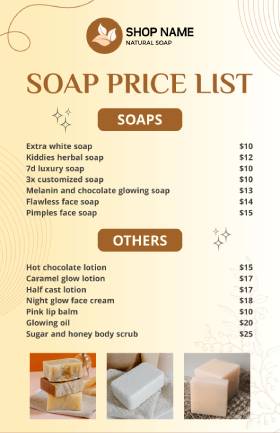
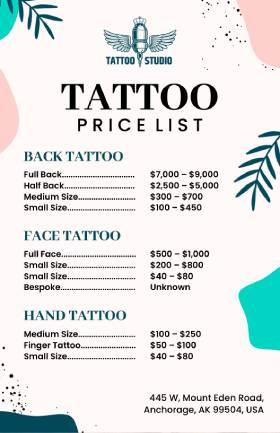
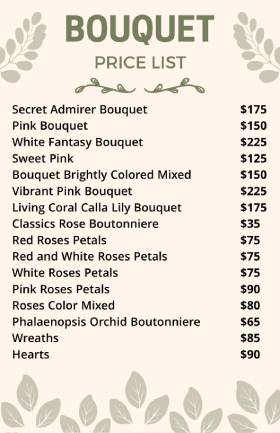
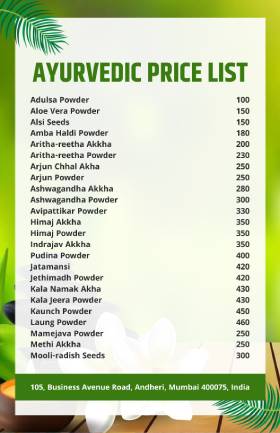
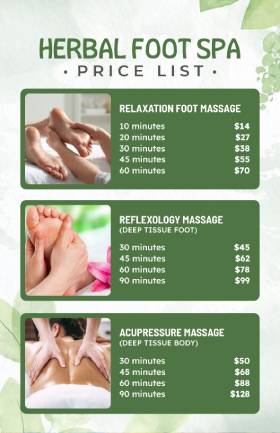
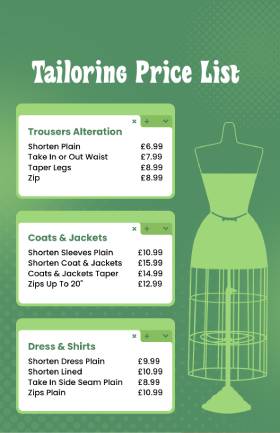
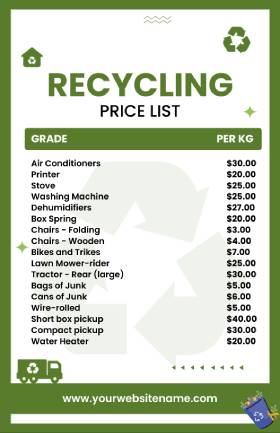
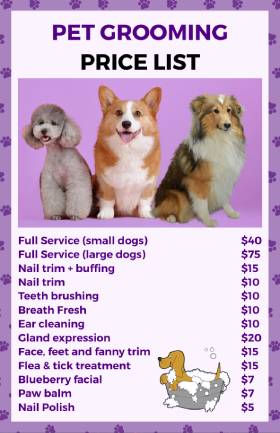
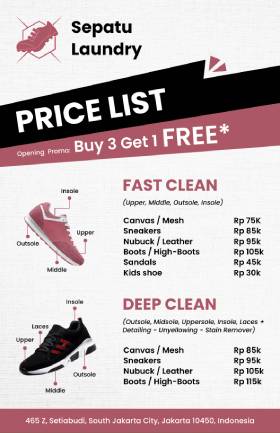

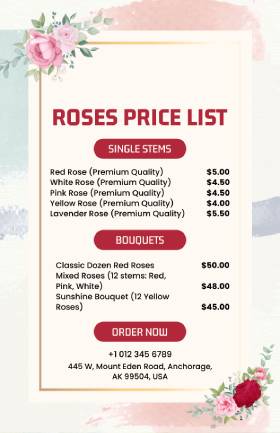
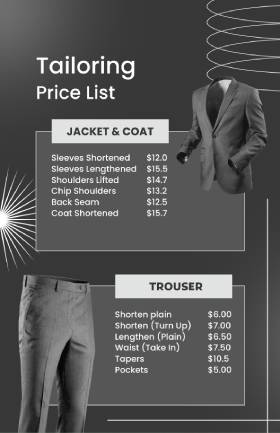
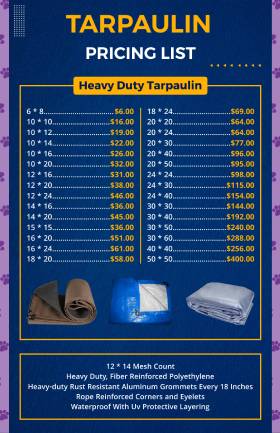
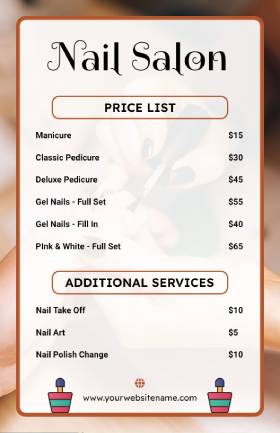
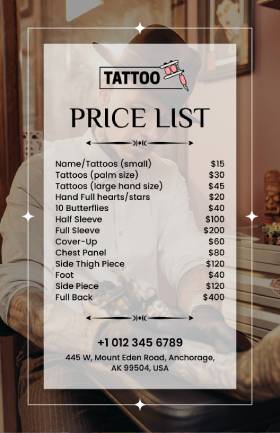
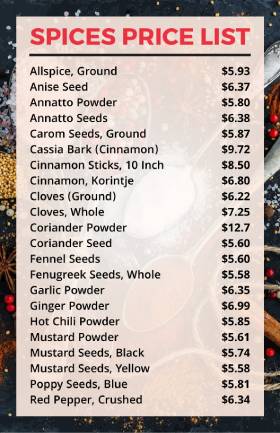

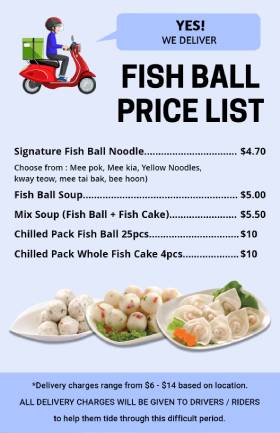

Crafting a menu from scratch is time-consuming and a hard process, but how can you make the process easier? Thanks to a platform like Lisi.menu, which is an online menu builder that provides hundreds of price list menu ideas, and allows you to customize them with ease.
What are the Essential Elements of Price List Menu Design?
Thinking about price list menu design ideas, whether you’re running a restaurant, café, beauty salon, or catering service, including the right elements in your price list menu is key to a good customer experience and better sales.
1. Visual Hierarchy and Layout Structure
Creating a clear visual hierarchy helps customers navigate your menu effortlessly. First, organize your menu sections logically, starting with appetizers and moving through main courses to desserts. Subsequently, use consistent formatting throughout each section.
Key layout principles include:
- Strategic placement of high-profit items in prime visual spots
- Consistent spacing between menu items
- Clear section dividers and headers
- Logical flow from top to bottom
2. Typography and Readability
Your font choices directly impact how customers interact with your menu. Therefore, select fonts that are easy to read under various lighting conditions. Sans-serif fonts like Arial or Helvetica work well for body text, while serif fonts can add elegance to headings.
Typography best practices:
- Use 12-point font or larger for body text
- Maintain consistent font sizes within sections
- Choose a high contrast between text and background
- Limit yourself to 2-3 font families maximum
3. Color Psychology in Menu Design
Colors evoke specific emotions and can influence purchasing decisions. For instance, red and orange stimulate appetite, while green suggests freshness and health. However, use colors strategically rather than overwhelming customers with too many bright hues.
Effective color strategies:
- Use warm colors (red, orange, yellow) for comfort foods
- Apply cool colors (blue, green) for healthy options
- Maintain brand consistency across all materials
- Ensure sufficient contrast for readability
Find out more about which typography and colors work best in menu design, and how it attracts more customers.
4. Item Names and Descriptions
Each menu item should have a clear name, and if needed, a short description. This helps customers know exactly what they’re getting.
For example: Grilled Paneer Wrap – Soft tortilla filled with spicy grilled paneer, onions, and chutney.
Descriptions can:
- Help upsell dishes
- Explain ingredients
- Highlight unique flavors
But keep it short—just one or two lines are enough.
5. Accurate Pricing
The most important part of a price list menu is, of course, the price. Customers want to know how much things cost without having to ask. Here are some key tips to consider while creating a price list menu.
Effective pricing tips:
- Align prices neatly to the right of the item
- Keep the format consistent
- Avoid symbols that may look too salesy (like $$$)
Clear pricing builds trust and avoids confusion.
6. Icons or Visual Elements (Optional)
Adding small icons or images can help make the menu more attractive and user-friendly.
Examples:
- A chili icon for spicy items
- A leaf icon for vegetarian dishes
- Photos of top-selling dishes
But don’t overdo it—too many images can clutter the design.
Here, learn what elements work best for menu design, which will help you include all essential details in the menu that make it perfect.
7. Highlight Popular or Recommended Items
Use design tricks to draw attention to your best-sellers or high-margin items.
You can:
- Add a “Chef’s Choice” or “Most Popular” tag
- Use a colored box or a star icon
- Put them at the top of each section
This helps guide customer choices and boosts sales.
What Should You Consider while Designing a Price List Menu?
Here are some considerations and a list of creative price list menu tips that not only look great but also help increase conversions, sales, and customer engagement. These ideas can be used in restaurants, cafes, beauty salons, spas, or any business offering products or services with prices.
1. The Strategic Box Method
The strategic box method is a simple yet powerful menu design technique used to subtly guide customer choices. By placing a dish or service inside a box (also called a highlight or callout), it immediately stands out from the rest of the list. Our eyes are naturally drawn to things that are visually separated, so boxed items grab attention first, often within the first few seconds of scanning a menu. This method is especially effective for promoting high-margin or signature offerings.
Use this technique sparingly to highlight your most profitable dishes. Here are some benefits of the strategic box method:
- Increases visibility of high-profit or featured items
- Creates perceived value without changing the actual price
- Encourages faster decision-making by narrowing focus
- Helps promote new or seasonal offerings effectively
- Enhances user experience by guiding the eye naturally
2. Decoy Pricing Strategy
Place a high-priced item next to your target dish to make the target appear more reasonably priced. This psychological pricing technique, known as anchoring, influences customer perception of value. As a result, customers often choose the middle-priced option, which typically offers the best profit margin.
Let’s say you offer three hair spa packages: basic hair spa – $16, advanced hair spa – $22 (Decoy), and premium hair spa with head massage – $25
Here, the Advanced package acts as the decoy. It’s only $3 cheaper than the Premium one but offers fewer benefits. This makes the premium service look like a smarter and more valuable choice, even though it’s more expensive. Most customers will naturally choose the Premium option because it feels like they’re getting more for just a little extra.
Key Tips for Using Decoy Pricing:
- Create three-tier pricing: Add a mid-range option that’s close in price to the premium item.
- Make the decoy less attractive: Price it so that the high-value item looks like a steal in comparison.
- Use it for combos, upgrades, or premium services: This works great in food, salon, or service menus.
- Test and track performance: Monitor which option sells the most and adjust prices if needed.
3. Visual Menu Storytelling
Visual menu storytelling is the art of turning your menu into a meaningful experience, not just a list of prices and items. Instead of displaying only names and costs, this method uses short, engaging descriptions and appealing visuals to tell a story about each item. This can include the dish’s origin, unique ingredients, traditional cooking methods, or even the inspiration behind its creation. By sharing these little stories, you create an emotional connection with the customer.
How to Use Visual Menu Storytelling:
- Describe ingredients with care: Slow-cooked with hand-picked spices from Kerala.
- Mention the cooking method: Chargrilled over an open flame for a smoky flavor.
- Add origin stories: Inspired by street food from Bangkok’s night markets.
- Include a personal or chef’s touch: Our grandmother’s Sunday special, passed down for generations.
- Pair with images or icons to bring the story to life
5. Interactive QR Code Menus
Interactive QR code menus have become a modern, efficient solution for restaurants, cafés, and service-based businesses. By scanning a QR code with their smartphone, customers can instantly access your digital menu—no need for printed copies at every table. Designing digital menus is flexible and easy to update, allowing you to make real-time changes like price adjustments, seasonal specials, or daily offers without reprinting costs.
They’re also ideal for offering multilingual support, which is especially helpful in tourist areas or multicultural cities. Plus, digital menus can include interactive features like images, filters, and even ordering options to streamline the customer experience.
Benefits of Interactive QR Code Menus:
- Easy to update in real-time (no reprints needed)
- Multilingual support for diverse customers
- Cost-effective and eco-friendly (less paper waste)
- Supports visuals and descriptions to boost sales
- Faster service with in-app ordering and filters
If you’re willing to create a menu for your food or services-based business, read this guide to explore multilingual menu ideas and examples.
How to Design a Price List Menu That Converts?
Whether you want to create a price list menu for a restaurant, salon, freelance services, or any other business, a well-designed menu helps your customers understand what you offer and how much each item or service costs.
Here’s a step-by-step process to create a price list menu:
1. Know Your Target Audience
Before you even begin designing your salon price list menu, it’s essential to understand who your ideal clients are. This step is often overlooked, but it sets the foundation for your entire menu design.
Your audience influences everything—from the tone of your language and types of services you highlight, to the colors, layout, and even price presentation. For example, if your salon primarily caters to young, trendy college students, your menu should be modern, colorful, and emphasize affordable styling, hair coloring, and quick beauty fixes.
On the other hand, if your clientele includes working professionals or high-income individuals, a more elegant, minimalistic menu that emphasizes premium services like keratin treatments, spa facials, or luxury hair rituals will appeal more.
2. Group Services into Clear Categories
Don’t just list everything randomly. Organize services into logical groups. If you want to create a price list menu for your salon, organize services like:
- Haircuts & Styling
- Hair Color & Treatments
- Facials & Skin Care
- Waxing & Threading
- Nail Services
- Bridal & Party Packages
This makes it easier for customers to scan and find what they’re looking for. It also helps guide their choices and encourages them to explore related services.
3. Keep the Layout Clean and Easy to Read
Use white space, section breaks, and consistent formatting. A cluttered price list is confusing and unprofessional.
Tips:
- Use bullet points or tables.
- Keep font sizes readable (minimum 12pt).
- Use bold or color to highlight section headings.
- Align service names to the left and prices to the right for easy scanning.
4. Visual Hierarchy
Visual hierarchy is all about arranging the elements on your price list so that customers can easily scan and understand your services without feeling overwhelmed. Most people don’t read every word—they quickly glance to find what they need. A well-structured hierarchy guides their eyes naturally, highlights key offerings, and makes your menu feel organized and professional.
Here’s how to design a salon price list with effective visual hierarchy:
- Use bold or larger fonts for section headings like “Haircuts,” “Facials,” or “Hair Treatments” to clearly separate categories and draw attention.
- Make service names slightly bolder or darker than their descriptions so they stand out at a glance.
- Align prices consistently—either all to the right or left—so customers can easily compare without hunting for numbers.
- Stick to a consistent font style and size throughout the menu to avoid clutter and confusion.
- Add clear spacing between categories to give the design breathing room and make the layout feel more user-friendly.
- Choose the right menu size and format based on how you’ll display it (print, mobile, desktop, or in-salon). A good size enhances readability and user experience.
5. Provide Transparency with Simple Descriptions
Let’s take an example of a salon business. Many customers may not be familiar with every salon service on your price list. If they don’t understand what a treatment is or what it includes, they might skip it—even if it’s perfect for them. That’s why it’s important to add short, clear descriptions under each service. This builds trust and helps customers feel more confident about their choices.
Descriptions should be short—one or two lines are enough. Avoid using too many technical words or complicated terms. Think of how you’d explain the service to a friend in casual conversation. The more open and honest your menu feels, the more likely customers are to trust you and try new treatments. The process doesn’t end here; there are many steps you need to follow to create a perfect price list menu for your business.
We’ve covered a step-by-step guide on how to make a price list menu easily that you must check out.
What are Digital vs. Printed Price List Menu Design Considerations?
Digital Menu Advantages
Digital menus provide numerous benefits for modern restaurants. First, they’re easily updatable when prices change or new items are added. Moreover, they can include high-quality images and interactive elements that enhance the dining experience.
Digital menu benefits:
- Instant updates and modifications
- Cost-effective long-term solution
- Enhanced visual capabilities
- Integration with ordering systems
Physical Menu Strengths
Traditional printed menus still offer unique advantages. Notably, they provide a tangible experience that many customers prefer. Furthermore, physical menus don’t require technology or internet connectivity, ensuring accessibility for all customers.
Physical menu advantages:
- No technology barriers
- Tactile customer experience
- Always accessible regardless of device issues
- Can serve as marketing takeaways
What is the Psychology Behind Pricing Display in the Menu?
Here is what you need to know about menu design psychology and how you should display pricing in a way that turns more users into customers.
1. The Power of Price Placement
Where you place prices on your menu significantly affects customer perception. Therefore, avoid aligning prices in a column, as this encourages price comparison rather than item consideration. Instead, incorporate prices naturally into item descriptions.
2. Removing Dollar Signs
Research indicates that removing dollar signs from prices can increase spending. This technique, called “charm pricing,” reduces the psychological impact of price. Consequently, customers focus more on the food description than the cost.
3. Strategic Menu Item Positioning
Place your most profitable items in the upper right corner of your menu, as this is where eyes naturally gravitate. Additionally, position signature dishes and high-margin items in the top third of each section for maximum visibility.
4. Anchor Pricing with Tiered Options
This is when you offer three price points: one high, one mid, and one low. Most people will choose the middle option because it feels like the best balance between price and quality.
Example:
- Luxury Facial – 2499
- Gold Facial – 1799 (Most chosen)
- Cleanup Facial – 999
This technique is called “price anchoring”, and it encourages upselling without pressure.
What are the Common Price List Menu Design Mistakes to Avoid?
1. Overcrowding and Clutter
Too much information overwhelms customers and slows decision-making. Instead, use white space effectively to create breathing room between sections. Moreover, limit the number of options in each category to prevent decision paralysis.
2. Inconsistent Formatting
Inconsistent fonts, spacing, or styling appear unprofessional and confuse customers. Therefore, establish clear formatting guidelines and apply them consistently throughout your menu. This attention to detail reflects the quality customers can expect from your establishment.
3. Poor Image Quality
Low-resolution or poorly lit food photos can actually decrease appetite appeal. If you choose to include images, invest in professional food photography. Alternatively, well-written descriptions can be more effective than poor-quality photos.
4. Ignoring Brand Consistency
Your menu should reflect your restaurant’s overall brand identity. Consequently, use consistent colors, fonts, and imagery that align with your establishment’s atmosphere and target demographic. This consistency reinforces brand recognition and customer loyalty.
5. Poor Price Placement
Aligning all the prices in a single column makes customers focus only on the cost and compare prices directly. This often leads them to choose the cheapest service instead of the best one.
It shifts focus from the value of the service to the number. Place prices at the end of service descriptions. This encourages customers to first read about what they’re getting before seeing the cost.
6. No Contact Information
Some menus forget to tell customers what to do next after reading the prices. If customers don’t know how to book, they might not take action. Always add a clear call-to-action at the end, like mentioning your business number or social media accounts.
People Also Ask:
1. How should I organize services on my price list?
Group your services into clear, easy-to-understand categories like “Haircuts,” “Facials,” or “Makeup Packages.” Within each section, list the most popular or high-value services at the top. This makes the menu easier to scan and encourages customers to notice your best offerings.
2. Where should I place the prices?
Avoid placing prices in a separate column. Instead, add the price at the end of each service description on the same line. This prevents customers from just comparing costs and encourages them to read about the service first.
3. Should I add descriptions for each service?
Yes! Adding a short, simple description under each service helps customers understand what it includes. This is especially helpful for less familiar services or treatments. It builds trust and makes people more likely to try new things.
4. How often should I update my price list?
It’s a good idea to update your price list every 2–3 months or whenever you change your services or pricing. Keeping it fresh shows that your business is active and helps avoid confusion with outdated information.
5. Should I include taxes in my prices?
It’s best to be clear. Either include taxes in the listed prices or mention “+ taxes” next to them. This helps manage customer expectations and prevents surprises at checkout.
6. How can I highlight my best or most profitable services?
You can make them stand out by using color blocks, icons (like stars or hearts), or “Most Popular” tags. You can also place them at the top of each section or in the top right corner of your menu to draw attention.
Bottom Words
Creating an effective price list menu design requires balancing aesthetics, psychology, and practical considerations. Remember that your menu serves as a crucial sales tool that should reflect your brand while guiding customer choices toward profitable items.
Getting inspiration from these price list menu examples, you can create a menu by implementing basic design principles like clear typography, logical organization, and strategic pricing placement. Then, gradually incorporate more advanced techniques like menu engineering and seasonal adaptations.
Your menu design investment will pay dividends through increased sales, improved customer satisfaction, and enhanced brand perception. Whether you choose digital or physical formats, focus on creating an experience that makes ordering easy and enjoyable for your customers.